
M4 MacBook Air vs M5 MacBook Pro: Which Apple Laptop Should You Buy in 2025?
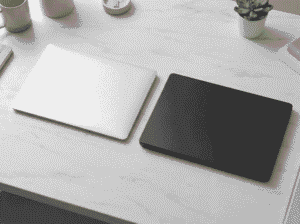
The M4 MacBook Air and M5 MacBook Pro are Apple’s latest laptop offerings in 2025, and choosing between them can be confusing. Both machines look remarkably similar, share Apple’s ecosystem advantages, and promise excellent performance. However, they serve completely different user needs and come with a significant price gap of ₹50,000.
This detailed comparison guide is written for Indian buyers who are confused between these two MacBooks. Whether you’re a student, working professional, content creator, or developer, this article will help you understand exactly which laptop suits your requirements. You’ll find complete specifications, real-world performance differences, battery life comparisons, and clear buying recommendations based on your use case. Let’s break down everything you need to know before making this important purchase decision.
Key Specifications at a Glance
| Specification | M4 MacBook Air | M5 MacBook Pro |
|---|---|---|
| Display | 13.6″ / 15.3″ Liquid Retina, 60Hz | 14.2″ mini-LED, 120Hz ProMotion |
| Processor | Apple M4 Chip | Apple M5 Chip |
| RAM | 8GB / 16GB / 24GB Unified Memory | 16GB / 24GB Unified Memory |
| Storage | 256GB / 512GB / 1TB / 2TB SSD | 512GB / 1TB / 2TB SSD |
| Battery | Up to 18 hours | Up to 22 hours |
| Cooling | Fanless Design | Active Fan Cooling |
| Weight | 1.24 kg (13″) / 1.51 kg (15″) | 1.55 kg (14″) |
| Speakers | 4-speaker system | 6-speaker system with spatial audio |
| Price (India) | Starting ₹99,900 | Starting ₹1,59,900 |
Design & Build Quality
M4 MacBook Air Design
The M4 MacBook Air continues Apple’s tradition of creating incredibly thin and light laptops. This is the slimmest MacBook you can buy right now, making it the ultimate portable machine. The wedge-shaped design makes it easy to slip into any bag, and at just 1.24 kg for the 13-inch model, you’ll barely feel it during your commute.
Apple offers the MacBook Air in four attractive colours: Sky Blue, Silver, Starlight, and Midnight. This variety is similar to how Apple treats its base iPhone models, giving buyers more personalisation options. The build quality is premium aluminium throughout, and despite being thin, it feels solid and well-constructed.
M5 MacBook Pro Design
The M5 MacBook Pro is slightly thicker and heavier, but calling it bulky would be unfair. This is still an incredibly thin laptop by any standard. The extra thickness serves a purpose – it houses the active cooling system that allows sustained performance during heavy workloads.
The MacBook Pro comes in just two colours: Space Black and Silver. This limited palette follows Apple’s “Pro” product philosophy, focusing on professional aesthetics rather than variety. The Space Black finish, in particular, looks stunning and resists fingerprints better than previous dark MacBooks.
Both laptops share the same excellent keyboard and trackpad experience. Apple’s Magic Keyboard provides consistent, comfortable typing, while the Force Touch trackpad remains the best in the laptop industry.
Display Quality
This is where the MacBook Pro starts justifying its higher price tag. The M5 MacBook Pro features a mini-LED display with ProMotion technology, offering a 120Hz refresh rate. This display delivers deeper blacks, higher brightness, and better HDR performance compared to the Air.
For creative professionals working with photo editing, video colour grading, or graphic design, the MacBook Pro’s display makes a noticeable difference. The mini-LED backlighting provides better contrast ratios, which is crucial when accuracy matters.
The M4 MacBook Air’s Liquid Retina display is still excellent for everyday use. Colours are vibrant, brightness is sufficient for most environments, and text appears sharp and clear. However, it’s limited to 60Hz, which means scrolling and animations won’t feel as smooth as the Pro.
For regular users who primarily browse the web, watch content, and work on documents, the MacBook Air’s display is more than adequate. The 120Hz difference becomes noticeable mainly during gaming or when you’re accustomed to high refresh rate displays from smartphones.
Performance & Gaming
Everyday Performance
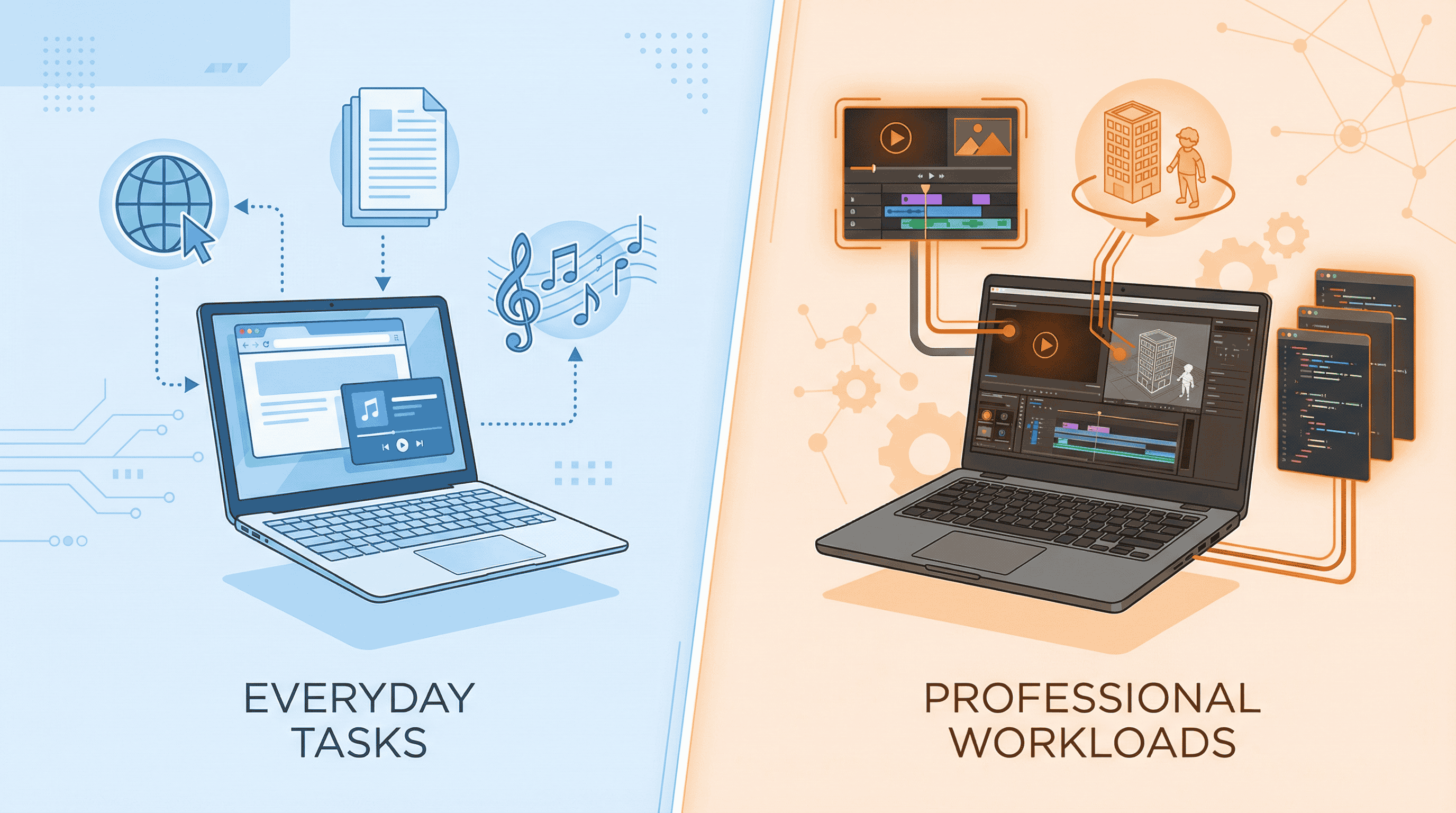
Here’s something important to understand: for 90% of daily tasks, both laptops will feel equally fast. Whether you’re browsing the internet, working on spreadsheets, attending video calls, or streaming content, the M4 MacBook Air handles everything effortlessly.
Apple’s M-series chips have been incredibly powerful since the M1 generation. The M4 chip in the MacBook Air is still relatively new and offers outstanding performance for its class. You won’t feel any slowdown during normal usage.
Heavy Workloads and Professional Use
The real difference emerges when you push these machines with demanding tasks. The M5 chip in the MacBook Pro delivers better multi-core performance and improved GPU capabilities. This translates to faster rendering in Final Cut Pro, better performance in AI tools, and smoother gaming experiences.
More importantly, the MacBook Pro can maintain this performance for extended periods. Thanks to its active cooling system with fans, the laptop doesn’t throttle even during long editing sessions.
The MacBook Air, being fanless, will eventually thermal throttle during sustained heavy workloads. If you’re editing a video for 30 minutes, you’ll be fine. But if you’re working on complex projects for hours, the Air will slow down to manage heat. This is physics, not a flaw – it’s the trade-off for having a silent, fanless design.
Gaming Performance
Neither MacBook is primarily a gaming machine, but the Pro handles it better. The 120Hz display provides smoother gameplay, the M5’s GPU is more capable, and the cooling system prevents performance drops during extended gaming sessions.
Camera Performance
Both MacBooks feature a 12MP Centre Stage camera, which is excellent for video calls and content creation. The camera automatically keeps you centred in the frame as you move, which is particularly useful during meetings.
Video quality is sharp and clear, with good low-light performance for a laptop webcam. Both machines perform identically in this department, so the camera shouldn’t influence your buying decision.
Battery Life & Charging
Apple’s M-series chips have revolutionised laptop battery life, and both these machines benefit from that efficiency.
The M4 MacBook Air offers up to 18 hours of usage on a single charge. For everyday tasks like web browsing, document editing, and media consumption, you can easily get through a full workday without reaching for the charger.
The M5 MacBook Pro goes even further with up to 22 hours of battery life. The larger battery compensates for the more powerful chip and brighter display. However, if you’re doing intensive work like video editing, the battery will drain faster due to the higher power consumption.
Both laptops support fast charging via USB-C and MagSafe. The MacBook Pro also supports faster charging speeds, which complements its professional use case where time is often critical.
Software & Updates
Both MacBooks run macOS Sequoia and will receive software updates simultaneously for many years to come. Apple’s track record of long-term software support means you’re making a safe investment regardless of which model you choose.
The software experience is identical on both machines. You get the same apps, the same features, and the same excellent integration with iPhone, iPad, Apple Watch, and other Apple devices.
Connectivity & Extra Features
Ports and Connectivity
The MacBook Air offers two Thunderbolt/USB 4 ports, a MagSafe charging port, and a headphone jack. This is sufficient for most users, though you might need a hub if you use multiple peripherals.
The MacBook Pro provides more connectivity options, including three Thunderbolt ports, an HDMI port, an SD card slot, MagSafe, and a headphone jack. This expanded port selection is valuable for creative professionals who regularly connect external displays, cameras, and storage devices.
Speaker Quality
This is an area where the MacBook Pro significantly outperforms the Air. The six-speaker system with spatial audio support delivers truly impressive sound quality for a laptop. Whether you’re watching movies, listening to music, or reviewing audio in your video projects, the difference is immediately noticeable.
The MacBook Air’s four-speaker system is good for its size and class, but it simply cannot match the Pro’s audio output. If speaker quality matters to you, this could be a deciding factor.
Pros & Cons
M4 MacBook Air
| ✅ Pros | ❌ Cons |
|---|---|
| Ultra-lightweight and portable | 60Hz display only |
| Completely silent (fanless) | Thermal throttling during heavy use |
| Excellent battery life (18 hours) | Fewer port options |
| Four colour options available | Smaller speaker system |
| ₹60,000 cheaper than Pro | Not ideal for sustained workloads |
| Available in 13″ and 15″ sizes | – |
M5 MacBook Pro
| ✅ Pros | ❌ Cons |
|---|---|
| Superior mini-LED 120Hz display | Only available in 14″ with M5 |
| Better sustained performance | Heavier than MacBook Air |
| Excellent 6-speaker system | Just two colour options |
| More ports including HDMI & SD | ₹60,000 more expensive |
| Active cooling prevents throttling | Overkill for basic users |
| 22-hour battery life | Fan noise during heavy tasks |
Comparison with Windows Alternatives
| Feature | M4 MacBook Air | M5 MacBook Pro | Dell XPS 14 | ASUS ZenBook 14 |
|---|---|---|---|---|
| Display | 13.6″ Liquid Retina | 14.2″ mini-LED 120Hz | 14.5″ OLED 120Hz | 14″ OLED 120Hz |
| Processor | Apple M4 | Apple M5 | Intel Core Ultra 7 | Intel Core Ultra 9 |
| Battery Life | 18 hours | 22 hours | 12 hours | 10 hours |
| Weight | 1.24 kg | 1.55 kg | 1.46 kg | 1.28 kg |
| Price (India) | ₹99,900 | ₹1,59,900 | ₹1,49,900 | ₹1,39,900 |
The MacBooks offer significantly better battery life compared to Windows alternatives, which is a major advantage for mobile users. However, Windows laptops often provide OLED displays at lower price points.
Price & Variants in India
M4 MacBook Air Pricing
- 13-inch 8GB/256GB: ₹99,900
- 13-inch 16GB/512GB: ₹1,24,900
- 15-inch 8GB/256GB: ₹1,24,900
- 15-inch 16GB/512GB: ₹1,49,900
M5 MacBook Pro Pricing
- 14-inch 16GB/512GB: ₹1,59,900
- 14-inch 24GB/1TB: ₹1,99,900
Both models are available through Apple India’s official website, Apple Store outlets, and authorised resellers like Imagine, Croma, and Reliance Digital. You can also find them on Amazon and Flipkart, often with bank offers and EMI options.
For students, Apple offers education pricing that can save you ₹10,000-15,000 on these purchases. Apple’s Back to School offers also include free AirPods with Mac purchases during certain periods.
Who Should Buy This Laptop?

Buy the M4 MacBook Air If You Are:
- A student looking for a reliable laptop for notes, research, and assignments
- A working professional who primarily uses office applications and web-based tools
- A frequent traveller who values lightweight portability above all
- A first-time Mac buyer wanting to experience macOS without overspending
- Someone on a budget who wants Apple quality at a relatively accessible price
- A content consumer who mainly watches videos, browses, and does light work
Buy the M5 MacBook Pro If You Are:
- A video editor who works with 4K/8K footage regularly
- A graphic designer who needs accurate colour reproduction
- A developer running multiple IDEs, containers, or virtual machines
- A music producer working with complex DAW projects
- A professional photographer editing large RAW files
- Someone who needs sustained performance for hours without throttling
Skip the MacBook Pro If:
You’re buying it just because it’s “Pro” without actually needing the professional features. The ₹60,000 price difference is only justified if you’ll actually use the extra performance, display quality, and speaker system.
Frequently Asked Questions (FAQs)
Q1: Is the M4 MacBook Air good for video editing?
Answer: Yes, the M4 MacBook Air can handle video editing in Final Cut Pro or Adobe Premiere. However, for long editing sessions or complex timelines, expect some thermal throttling. It’s suitable for beginners and occasional editors, not full-time professionals.
Q2: Which MacBook should students buy in India?
Answer: The M4 MacBook Air is the better choice for most students. It’s lighter, cheaper, and handles all academic work perfectly. The 13-inch model offers the best balance of portability and screen size.
Q3: Does the MacBook Air have heating issues?
Answer: The fanless design means the MacBook Air will get warm during heavy tasks and may slow down to manage temperature. For everyday use, this isn’t an issue. For sustained heavy workloads, consider the MacBook Pro.
Q4: Is the M5 MacBook Pro worth ₹60,000 extra?
Answer: Only if you need sustained performance, the superior display, and better speakers. For casual users, this extra investment doesn’t provide proportional benefits.
Q5: Can I play games on MacBook Air or Pro?
Answer: Both can handle casual gaming. The MacBook Pro with its 120Hz display and better GPU handles games more smoothly. Neither is designed as a gaming laptop – consider this a secondary feature.
Q6: Which MacBook has better resale value in India?
Answer: Both MacBooks hold value well in India’s used market. MacBook Pros typically retain slightly higher resale value due to their professional positioning.
Q7: Should I wait for sales to buy MacBook in India?
Answer: Apple products rarely see direct discounts. However, bank offers, exchange deals, and festive sales on Amazon/Flipkart can save you ₹5,000-15,000.
Q8: Is 8GB RAM enough in MacBook Air 2025?
Answer: For basic tasks, yes. However, if budget allows, opt for 16GB RAM for better future-proofing, especially since RAM isn’t upgradeable later.
Final Verdict
The choice between M4 MacBook Air and M5 MacBook Pro comes down to understanding your actual needs rather than aspirational wants.
The M4 MacBook Air at ₹99,900 is the smarter purchase for the majority of Indian buyers. It’s lighter, silent, and handles everyday computing with ease. The M4 chip is no slouch – it powers through normal tasks without breaking a sweat. If you’re a student, office worker, or someone who values portability, this is your laptop.
The M5 MacBook Pro at ₹1,59,900 is a tool for serious work. The better display, sustained performance, superior speakers, and additional ports justify the premium for creative professionals and developers. If your livelihood depends on these features, the investment makes sense.
My Recommendation:
- Everyday users: Buy the M4 MacBook Air 13-inch – Best value for money
- Creative professionals: Buy the M5 MacBook Pro – Worth every rupee
- Students: Buy the M4 MacBook Air with education discount
- Unsure? Start with the Air. You can always upgrade later
Both are excellent laptops. The difference is whether you need “excellent” or “excellent for professional work.” Choose honestly based on your actual usage, not what you might do someday.
For more laptop comparisons, tech reviews, and buying guides tailored for Indian consumers, stay tuned to Techzing.in.